Blog

Nov 2016

Social media rich snippets with AngularJS and ngMeta

ngMeta, my Angular1 SEO meta tags library, has frequently seen issues related to the preview snippets or rich snippets generated by Facebook, Twitter, Skype, Whatsapp and others when a URL of an Angular site using ngMeta is shared. I’ve addressed it on Github several times, so I thought I would explain the issue in greater detail here.

Sites like Facebook and Twitter use crawlers to fetch URLs and extract the Open Graph meta values. When Open Graph data is not available, they fall back on the basic meta tags (title, description and others). Social media crawlers generally do not execute Javascript, meaning that they pick up the values provided in meta tags as-is. For sites that use ngMeta, meta tags might look like this:

<title ng-bind="ngMeta.title"></title>
<meta name="description" content="{{ngMeta.description}}" />
<meta property="og:title" content="{{ngMeta.title}}" />
<meta property="og:description" content="{{ngMeta.description}}" />

As a result, the rich snippet generated by social media sites is not pleasant (Remember, no Javascript!): Facebook rich snippet
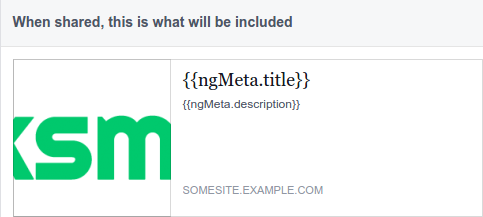
However, Google search’s crawlers do execute Javascript and the search result snippet uses the title, description and other tags set through ngMeta, as expected.

It is technically impossible for a front-end framework library like ngMeta to force crawlers to execute Javascript and pick up the meta content values set through Javascript. Instead, solutions include serving pre-rendered pages, or redirecting requests by crawlers to a specific service that serves a static page with meta tags relevant to the requested URL. For more on the latter, check out angular-social-demo on GitHub.

Another option: If you’re willing to forsake the customization of meta tags for different pages to get rid of uninterpolated Angular expressions like ngMeta.title in your social media snippets, consider adding fallback meta tags that provide a title, description and image for your site. These fallback meta tags must have ng-if="false" so that they are removed in a Javascript-enabled environment:

<title ng-bind="ngMeta.title"></title>
<meta name="description" content="{{ngMeta.description}}" />
<meta property="og:title" content="Site name or other general title" ng-if="false" />
<meta property="og:description" content="Site description" ng-if="false" />
<meta property="og:image" content="https://your-site.com/fallback-snippet-image.jpg" ng-if="false"/>

Feel free to check out the source code of the ngMeta demo site. I’ve just updated it with fallback meta tags.
Oct 2016

Android app for Torun's city bike system

I’m a big fan of Toruń, and I’ve spent a lot of time exploring the city over the last year. I’m also a big fan of cycling, so when Toruń’s city bike system relaunched in March after its winter hiatus, I took to cycling around the city. As an outsider, it wasn’t always easy locating the nearest bike station. Sometimes, I’d walk to a known station, only to find that there were no bikes. I couldn’t find an app to help me out with the city bike system, so I made one myself that uses the data available on the website.

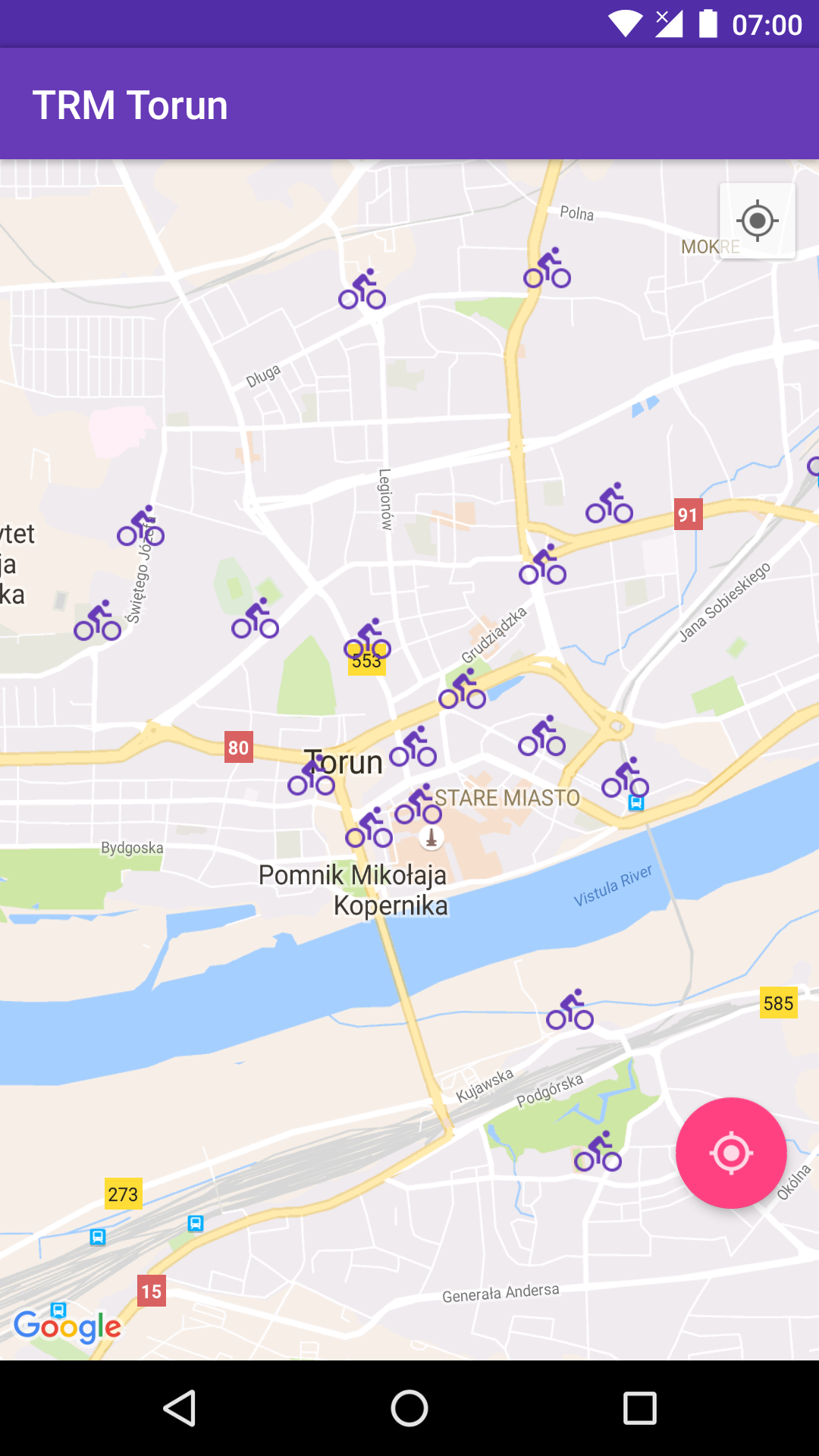
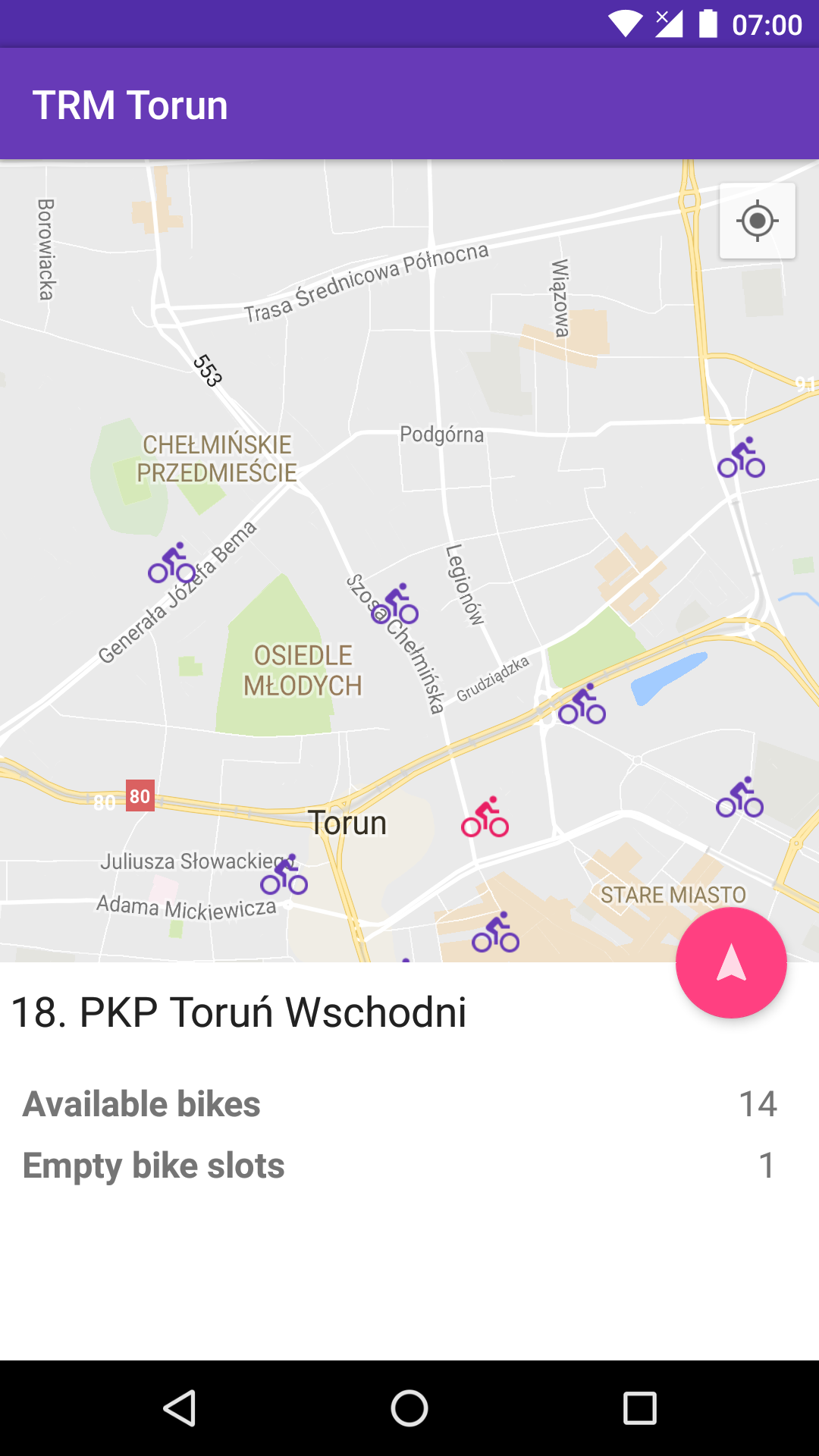
The app uses the Google Maps Android API to show all the bike stations in the city as well as your current location. Using the Locate icon floating action button, you can locate the bike station that’s nearest to you from any location in the city.

Once you’ve identified a bike station, you can check the number of available bikes, and use the Navigate icon floating action button to get walking directions to the station from Google Maps. The app is capable of working offline, using a cache of bike stations, but, needless to say, realtime bike availability information needs a working internet connection.

Demo

Technical details

The app supports Android 4.0.3 (API Level 15 - Ice cream sandwich) and above, covering 98.6%+ of all Android devices 1. The context-aware floating action button, sliding bottom sheet and the themed action bar are based on material design guidelines. The app is compatible with the “new” permission system applicable to Android 6 and above: Devices running Android 6 (Marshmallow) and above use runtime permission requests, while all permissions must be granted at installation time on devices running older versions of Android.

Check out TRM Torun on Google Play

Aug 2016

Overheard in Łódź

We buy things we don’t need, with money we don’t have, to impress people we don’t like.
– Piotrkowska Street, Łódź

Jul 2016

SEO in Angular with ng2-meta

Updating meta tags such as title and description as the route changes is essential for SEO in any single page application. While building Nomad Couple, an Angular2 site, I realized that there weren’t any Angular2 meta-tags libraries, so I decided to build one. I’ve released it as ng2-meta on npm.

ng2-meta listens to router changes and updates <meta> tags with the values provided in the route’s configuration.

To get started, install ng2-meta

npm install --save ng2-meta

Add a data object to each of your routes and define meta tags (title, description, url etc) relevant to the route.

const routes: RouterConfig = [
  {
    path: 'home',
    component: HomeComponent,
    data: {
      meta: {
        title: 'Home page',
        description: 'Description of the home page'
      }
    }
  },
  {
    path: 'dashboard',
    component: DashboardComponent,
    data: {
      meta: {
        title: 'Dashboard',
        description: 'Description of the dashboard page',
        'og:image': 'http://example.com/dashboard-image.png'
      }
    }
  }
];

Inject Angular2’s Title service as well as ng2-meta’s MetaService into your app. ng2-meta uses the Title service internally to automatically change the page title when the title meta tag is updated.

import { Title } from '@angular/platform-browser';
import { MetaService } from 'ng2-meta';
...
bootstrap(AppComponent, [
  HTTP_PROVIDERS,
  ...
  Title,
  MetaService
]);

Add MetaService as a provider to your root component

import { MetaService } from 'ng2-meta';

@Component({
  ...
  providers: [MetaService]
})

If you’d like to update the page title and meta tags from a component or service, say, after receiving data from a HTTP call, you can use MetaService.

class ProductComponent {
  ...
  constructor(private metaService: MetaService) {}

  ngOnInit() {
    this.product = //HTTP GET for product in catalogue
    metaService.setTitle('Product page for '+this.product.name);
    metaService.setTag('og:image',this.product.imageURL);
  }
}

It’s a good idea to add some fallback meta tags for use by crawlers that don’t execute Javascript, like Facebook and Twitter.

<html>
 <head>
  <meta name="title" content="Website Name">
  <meta name="og:title" content="Website Name">
  <meta name="description" content="General site description">
  <meta name="og:description" content="General site description">
  <meta name="og:image" content="http://abc.com/general-image.png">
 </head>
</html>

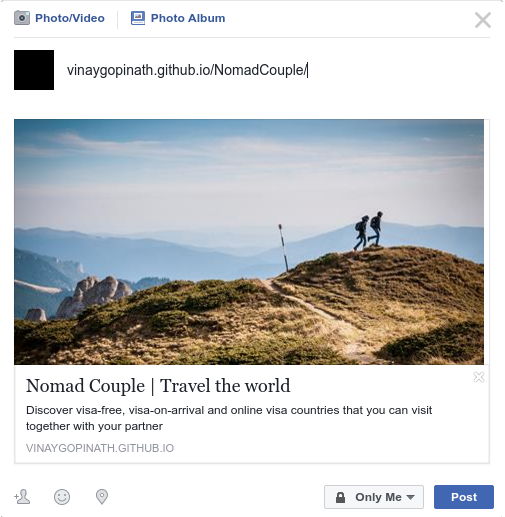
The fallback meta tags are used to generate the rich snippet shown when your website is shared on Facebook (Just make sure to add Open graph meta tags). Nomad Couple - Facebook share rich snippet

Check out Nomad Couple as a demo of ng2-meta. Its source code is available here.

I’m currently investigating server-side rendering using angular/universal and plan to update ng2-meta to support it.

Nomad Couple

I’m Indian, and my girlfriend is Polish. We love travelling and we’d like to visit a lot of places, but there are surprisingly few countries that I can visit without a visa. Getting a visa can be tedious. (Quite often, I’ve had to personally visit consulates and submit bank account statements, travel insurance and cover letters along with my visa application form). Finding countries that allow both of us to visit without a visa or obtain a visa on arrival is hard. That’s why it occurred to me to build Nomad Couple, a website that provides information on visa requirements for couples.

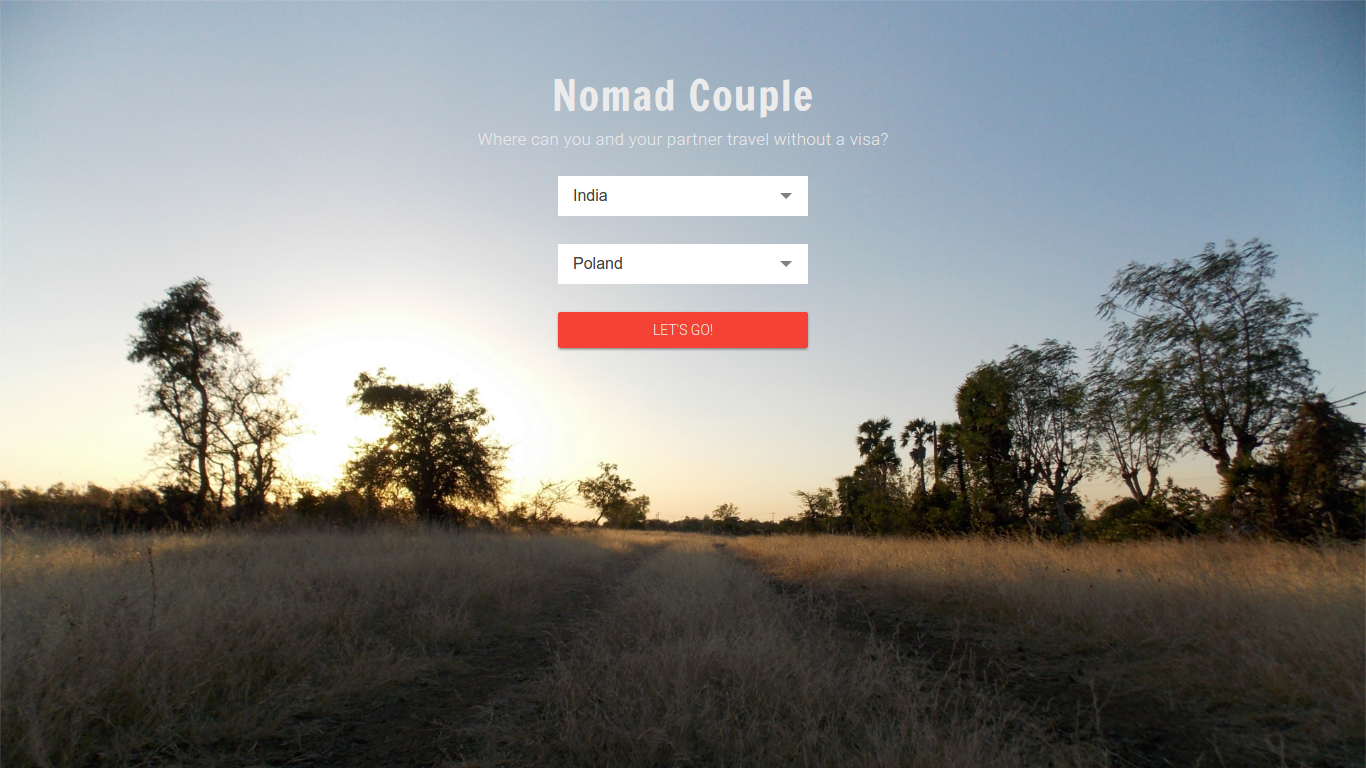
Nomad Couple home page

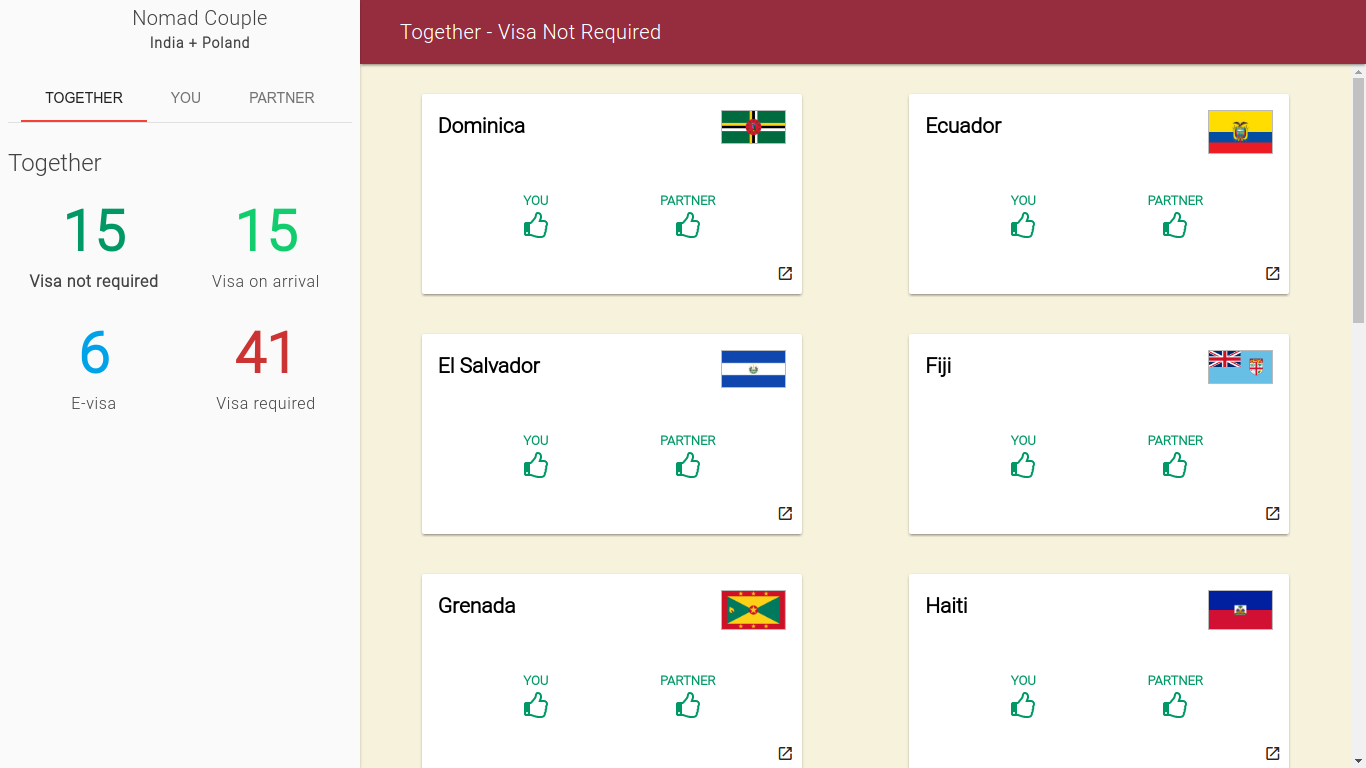
Nomad Couple search results

The site was built as an experiment with Angular2. I set up the repo using angular-cli, a wonderful tool that makes it easy to build an Angular2 site and deploy it on GitHub Pages. Having spent some time in the “Javascript fatigue”-inducing React ecosystem, it’s refreshing to be able to set up a project and get going quickly with angular-cli. (Side note: It looks like Facebook is finally acknowledging how complex it is to get started with a React app by creating its own CLI tool).

At the moment, the site groups countries based on visa requirements and links to WikiVoyage pages. I’d like to provide more information on each country through multiple data sources, the abilitiy to add links and pictures, and a Disqus comments section.

The data for the site was scraped from Wikipedia’s “Visa requirements for X citizens” pages. The source code for the scraper is available here.